



























Features

Integrations and connections


















To use Billit securely, we request that you verify the identity of a legal representative of your company. This is a requirement in Billit to give you access to secure e-invoicing networks such as Peppol.
Here’s how to do it:
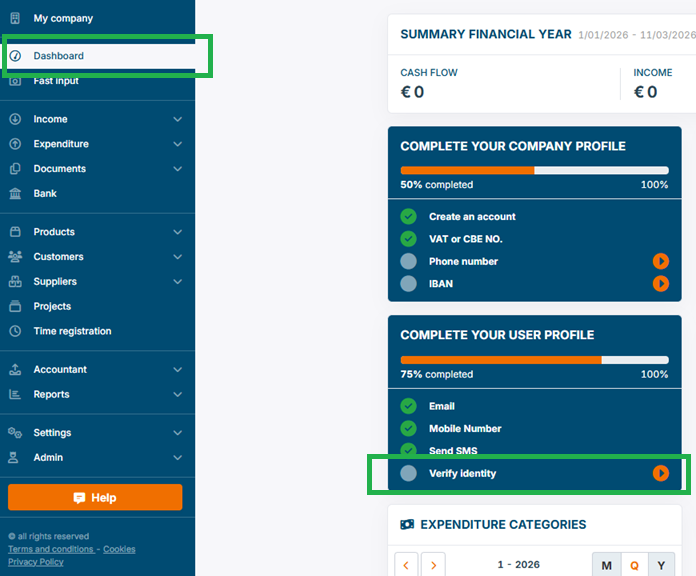
Start by verifying your identity using ‘Verify identity’ in the blue box on the dashboard.
To do this, go to the dashboard in Billit and, in the blue box ‘Complete your user profile’, select ‘Verify identity’.
Select ‘Verify via Entrust’ and keep your passport or national identity card at hand. Follow the steps on screen.

After that:
Use a help ticket to send us a supporting document (e.g. an excerpt from the commercial register or the articles of association) that specifically mentions the verified legal representative.
After receiving the verification documents, it may take the Billit Compliance Team a few days to complete the manual checking process.
If you need verification faster, you can also request a Fast Lane procedure. For this, create a support ticket with the title: ‘Fast Lane verification of legal representative’. We will then send you more information about the cost price via the ticket.